

Meko Pcb
2026.07.12: Thinking of what I need to change
This will be a long journal, because I did a lot of research beforehand
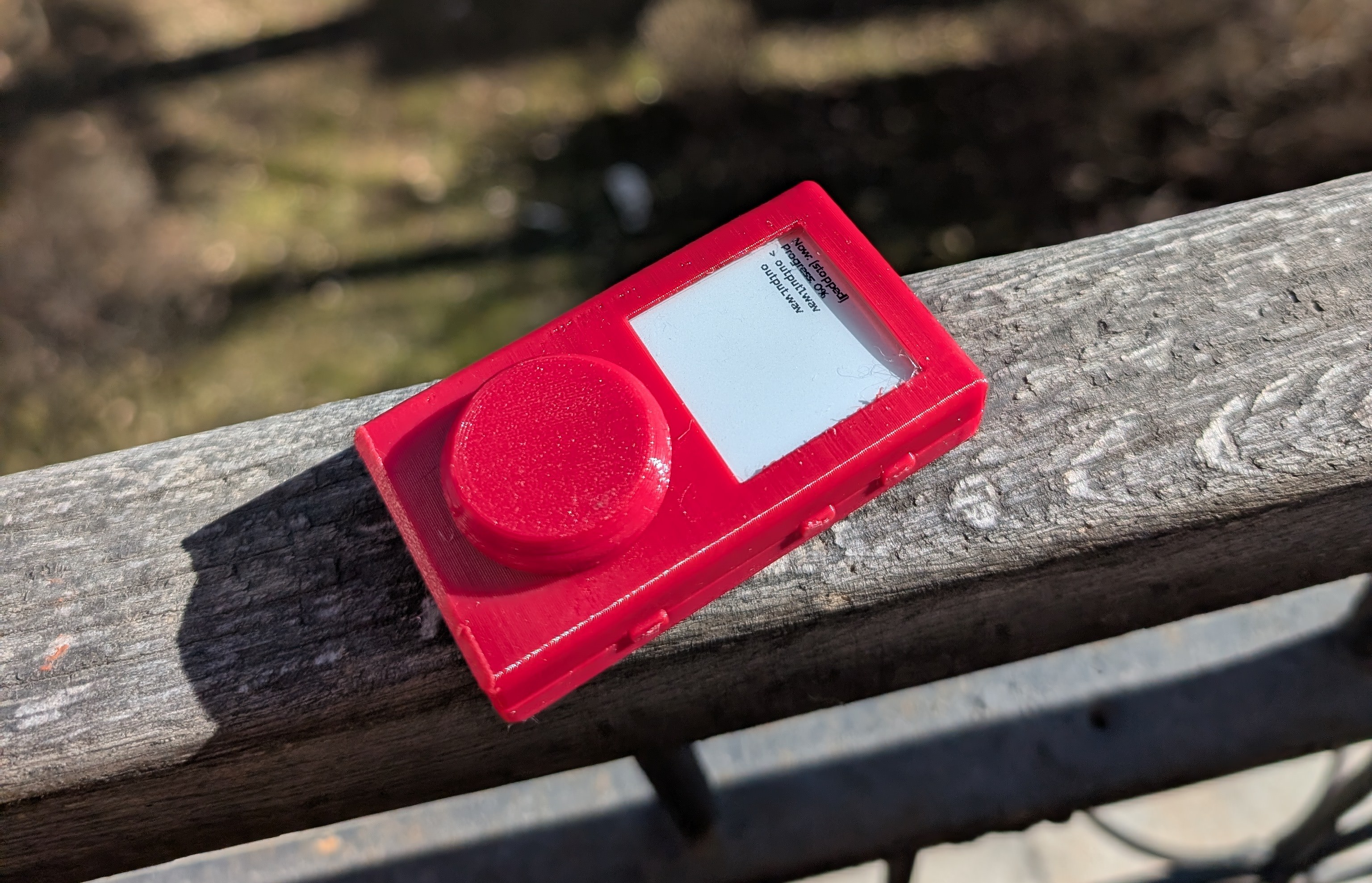
For v2 I went with a MCU(microcontroller unit) which are low power processors, and can't run normal OSs. This - I found out while developing the firmware - was a really limiting factor, mainly because the embedded rots that I was forced to use with this specific MCU(nrf5380), Zephyr.
Zephyr rant

The thing to know about Zephyr that is has literally no docs for any of the built-in drivers, so you have to look at examples(if they even exist) to figure out how the hell the driver works. In theory Zephyr would be awesome, it is similarly structured to how linux works, has a bunch of built-in drivers, has standard APIs for similar peripherals, and a bunch of cool stuff, but in reality the lack of docs, the complicated build system, the unclear runtime errors just make it impossible to actually use.
Thank you for listening to my rant.
The solution: Linux

I realized with the features I wanted (wifi, bluetooth, ble, high quality audio, streaming support, usb dac functionality) linux was a must, it has better docs, support for a bunch of ICs that I need, etc. But to run Linux I need an MPU(microprocessor unit), the main difference between an MPU and MCU is that the MPU has an MMU(memory management unit), which allows the use of external memory - like DDR - which Linux needs to run (doesn't actually, but in reality it's a necessity.
Choosing an MPU

This is the part that I'm still not done with, I'm really torn between the SAMA7 series from Microchip and the STM32MP1 series from STM, both are really awesome chips, the sama7 has a really good audio engine and relatively good gpu, and the stm32 is really easy to implement and it also has a pretty good gpu and audio peripheral. I would lean towards the sama7, but that is only available in a 0.65mm BGA package, which is really hard to fan out, while the stm32mp1 has a 0.8mm pitch, which is really easy to use. I think the strategy i will go with is to try to route the sama7, and if i fail miserably, I will switch to the stm32.
Two articles were really helpful researching this topic: this one, and this one
70hz e-paper

V2 had a normal e-ink screen, which had a max partial refresh rate of 0.5s, which is really bad, but for a music player it's alright. But I wanted more!!! So I found out about Sharp MIP displays, which give the effect of e-ink - they don't have a back light, are mostly black and white and they are really low power - but they have a higher refresh rate and always need to by powered, for example the display that I choose(LS022B7DH03) has 70Hz.
RAM

One of the main reasons I didn't go with a SiP(an IC where both the MPU and RAM are in the same package), because they mostly only package DDR3L or DDR2L, which have significantly higher power consumptions than LPDDR2/3. Both of my chosen MPUs support both LPDDR2 and LPDDR3, so I will be most likely going to use LPDDR3, and 512MB of it, because these MPUs would be sooner bottle necked by their performance than from the amount of RAM, and 512MB seems to be the sweet spot from what I read on forms/articles.
Time Spent: 8h
2026.07.15: Making a custom BGA symbol = HELL
So I realized that the sama7 doesn't have a premade footprint and symbol :YAYAYAY:
Footprint
I heard from Cyao that kicad has some pretty good built in BGA footprint generators, so I started researching. Turns out it's pretty easy to use, you only need to add a new entry to a YAML file with the specs of your footprint, and boom, you have a 3d model and footprint. I even made a pool request to the main repo, so the footprint can be included in the kicad default library.


Symbol
This is the part that is hell.
First the official kicad symbol generator doesn't work out of the box, I had to ask gemini to fix it 💀 Also the documentation is really hard to find for both the footprint generator and symbol generator. Also microchip doesn't provide a clean .csv file that I can easily process, that would be to easy, instead they have all their pins listed in a html table, with a bunch of rowgroups and stuff, that makes it really hard to parse. I spent like 1.5h getting this fricking script working, but in the end with the help of gemini I had made a script that converts the html table into a csv file that the kicad symbol generator can use. So now I have a massive monolithic symbol, with all the pins, and their alternate functions, that I now need to split up into separate units.

Also, I did some ram research
I asked around in a bunch of communities for advice on ddr3 learning resources, and I got some really god answers. Turns out bit/byte swapping on lpddr3 is a bit more complicated, but I still don't fully understand and need to do more research. I hope I don't even need to do this, crossing my fingers!!!
Time Spent: 6h
2026.07.16: Split apart the symbol
This was mostly a long monotonous but fun process of looking at the datasheet and organizing the pins into units. I took a bunch of inspiration from Cyao's sbc.

Time Spent: 4h
2026.07.19: Made PMIC symbol and did some research
PMIC
Microchip recommends two PMICs for the sama7, the mcp16501 and mcp16502, the mcp16501 can't do dynamic voltage adjustment, and doesn't let the sama7 go up to 1GHz, so the obvious choice was the mcp16502. Luckily component search engine already had a base symbol that I could use as a starting point, but it had the pins arranged based on the footprint,so I just needed to arrange the pins in a way that it made sense. I used a built in footprint from kicad, so I didn't have to make that.

RAM research
I messaged Cyao about where he sourced his ram when he made his sbc, because I couldn't find lpddr3 on mouser/lcsc/digikey, and other western sites sold these chips for pretty expensive. Turns out taobao has some pretty cheap ram, $5 for 1GB.
Also I learned that GB and Gb are different, GB is a gigabyte and Gb is a gigabit, which is 8 times smaller than a gigabyte. Thanks cyao!
In the end I landed on a 16Gb chip from samsung called K4E6E304EC, it's a 174 ball bga. and is around $7.5. I don't need 2 GB, but you only live once, and it's not that expansive compared to the whole board.

I submitted a footprint creation request to component search engine, it should take 1-2 days for them to make it, I will make a custom symbol.
Thank again you Cyao for all the help!!!!!
Time Spent:4h
2026.07.20: Making RAM symbol and RAM troubles
Symbol
I realized that I really like making symbols, it's just a really relaxing process, and I can learn a lot about the IC I'm making the symbol for.
Turns out, the pin table in KiCad doesn't have a visible
field, so I had to use a text editor to mass hide pins, like gnd and vcc, so for example I can have one gnd pin instead of sixty-seven-thousand.

But I realized something...
RAM troubles
The DRAM IC I chose has a 32 bit wide data bus, but my MPU only has a 16 bit wide DRAM controller, hmmmmmmmmmmmmmmmmm
So I dived into the datasheet, now this is where it got really confusing, because the datasheet mentioned x16 multiple times, so I went the EE discord to ask what the helly is going on, does this IC support both x16 and x32??

The first answer I got told me that I can't use this IC, but then another guy joined the conversation and said that I could use this IC, and they also provided some evidence hmmmmmmmmmmmmmmmmmmm
So I went on a search for an LPDDR3 chip that had a 16 bit wide data bus. But I couldn't find any, there were all 32 bit wide 😮 So my DRAM IC must have support for a 16 bit wide data bus, but I'm still not 100% sure, and still have to do more research
Also made a stack exchange post, but that didn't get any replies :sob:
Time Spent: 4h
2026.07.26: Microchip support saves me
RAM
So after I did a bunch more research, I asked microchip's live chat if they had any example of the sama7 being used with lpddr3, and turns there are examples with with X32 memory WOOOOOOOOOOOOOOOOOOO
But I still had a bunch of questions about this example, like do I lose half the capacity, or do I only lose speed, but the live chat support person said that I should create a regular support ticket for these questions, cuz they didn't know. So I did that, and waited eagerly.
A few days later I got a wall of text as a response, which explained everything I LOVE U BARATH V. FROM MICROCHIP
Turns out almost all x32 LPDDR3 devices(I learned that they call DDR ICs devices from Barath) have an x16 mode, but the datasheets don't make this clear at all, but I also got feedback on the specific DDR device I chose (<3 microchip) and it has this feature, in x16 you get half the speed but the full capacity of the device.
But turns out that there was another factor that would have halved my capacity, which was that the device I chose was actually two ddr chips put in one package, and required two CS and CKE pins, but the sama7 only has one CS and CKE pin for ddr devices, so I could have only used one of the chips in the package. The solution? Use a device that doesn't have two chips inside one package, which means use one with half the capacity, so in the end I will have an 8Gb/1GB ddr device.
Luckily the footprint doesn't change at all, I only have to mark two pins as NC (CS1 and CKE1), and rename CS0 to CS and CKE0 to CKE.
With my new found knowledge I connected the ram to the sama:


Display
I looked around a bit for displays to see if there were any better options than my current choice, mainly I wanted a larger display, so I could have more room for the PCB, but all the larger MIP panels had a horrible refresh rate, like 15Hz, which was unacceptable compared to the current 70Hz one. So I didn't change anything else
PWR
Started looking for a powerpath, charger and fuel gauge IC, I may have found one from analog devices, but i'm still not sure about it.